Have any questions? Call us at 615-703-6494 or email us at cedarlock@midstatepm.com

Storage Guide

Whether you’re storing household furniture, business inventory, handmade crafts, or seasonal items, choosing the right storage unit and packing it properly can make a big difference. Use this guide to compare unit sizes, understand the difference between drive-up and climate-controlled storage, learn how to pack efficiently, and find answers to common storage questions.

Storage Unit Size Guide

5 x 10 (50 Sq. ft.)

These 5×10 units are approximately the size of a walk-in closet.

These spaces are perfect for storing minimal amounts of furniture, sofas, chairs, chests of drawers, or mattresses, basically an entire bedroom. For our business customers, this is the perfect space to store your office equipment.
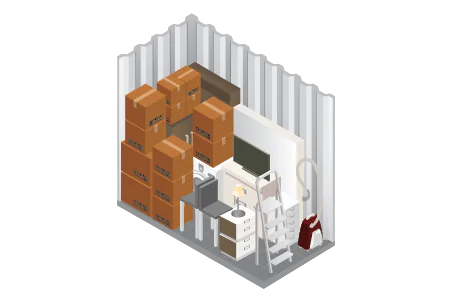
10 x 10 (100 Sq. ft.)

These 10 x 10 units are are approximately the size of a standard bedroom.

A 10×10 space is perfect for storing the contents of an entire living room, a one-bedroom apartment with major appliances, or other furniture and supplies.
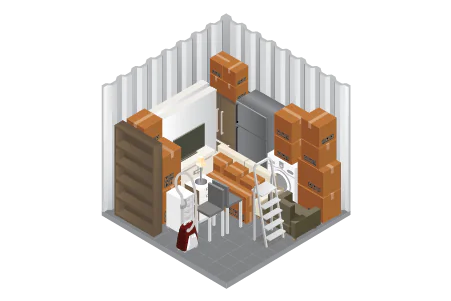
10 x 15 (150 Sq. ft.)

A 10×15 storage unit is approximately the size of a standard living room.

This 150 sq. ft. storage space can hold the contents of up to three bedrooms. It’s the ideal space for larger items including major appliances, boxes, miscellaneous items, and business inventory.
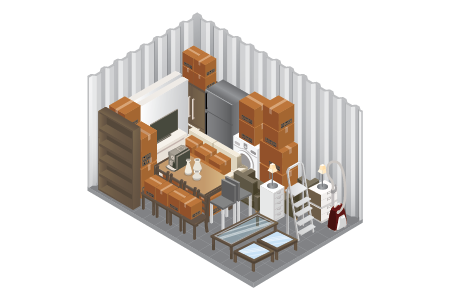
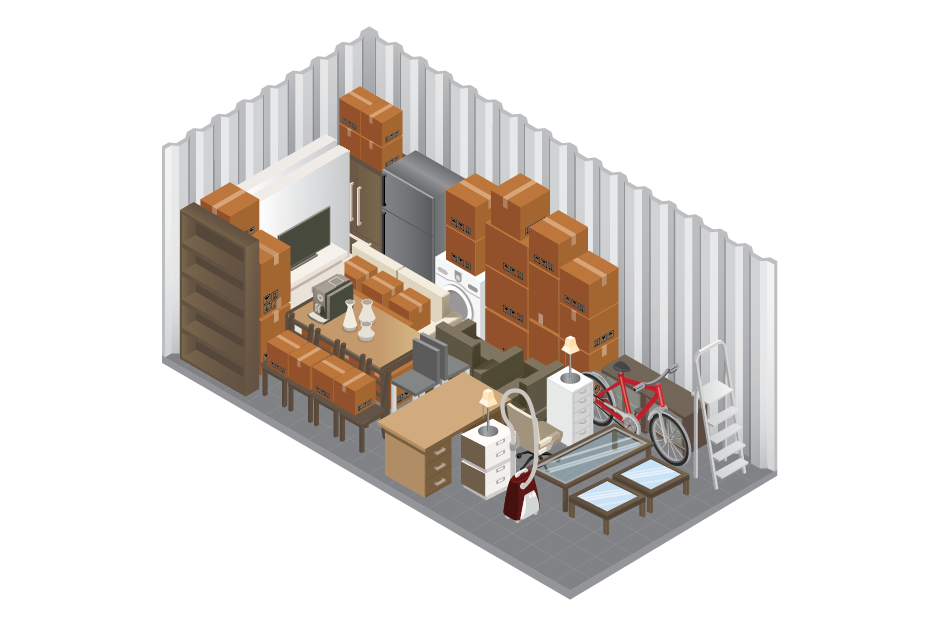
10 x 20 (200 Sq. ft.)

A 10×20 storage unit is approximately the size of a standard one-car garage.

With 200 sq. ft. of storage space you can store a three- to four-bedroom house while you’re in-between homes. Or, you can store all your business files and inventory. A 10×20 space is perfect for multiple storage racks.

Climate-Controlled vs. Drive-Up Storage

Which Type of Storage Is Right for You?

When to Choose Drive-Up Storage?

Drive-up storage is ideal for customers who need fast and convenient access to their belongings. You can park directly at your unit door, making loading and unloading easier during moves or frequent visits.


Drive-up storage is commonly used for:

  • Tools and equipment
  • Business inventory
  • Seasonal items
  • Non-fragile household belongings
  • Moving boxes and furniture
  • Inventory that needs frequent access

Customers using moving trucks, trailers, or rental vans often prefer drive-up storage because it reduces carrying distance and speeds up move-ins and move-outs.

When to Choose Climate-Controlled Storage?

  • Wood or leather furniture
  • Upholstered furniture
  • Electronics
  • Documents and photographs
  • Vinyl records and books
  • Musical instruments
  • Artwork and collectibles
  • Handmade quilts, textiles, soaps, and crafts
  • Important business inventory

This option is especially useful for Parkland Flea Market vendors storing handmade or temperature-sensitive goods between weekend market events.

Both drive-up and climate-controlled storage are available at Cedar Lock Storage in all four unit sizes ranging from 5×10 to 10×20.

How to Pack a Storage Unit

  • Plan your unit layout before you start
  • Heavy items go on the bottom
  • Pack vertically, not in piles
  • Leave a center aisle for access
  • Label boxes facing outward
  • Disassemble furniture when possible
  • Use moisture absorbers
  • Cover items with breathable cloth covers (not plastic)
  • Make an inventory list.

What You Can and Can’t Store

To keep our facility safe and secure for all tenants, certain items are prohibited from being stored in our units.

Allowed

  • Furniture
  • Appliances
  • Boxes
  • Business Inventory
  • Seasonal Items
  • Documents (in containers)
  • Tools
  • Equipment

Prohibited

  • Flammable materials
  • Hazardous chemicals
  • Perishable food
  • Plants
  • Animals
  • Illegal items
  • Anything alive

Storage FAQs

Storage unit pricing depends on the unit size and whether you choose drive-up or climate-controlled storage. Rates can vary based on availability and seasonal demand. Customers can view current pricing and available units directly through the Cedar Lock online booking portal.

No, Cedar Lock Storage offers flexible month-to-month rentals. Customers can rent storage for short-term or long-term needs without committing to a lengthy contract, making it easier for moves, temporary storage, business inventory, or seasonal use.

Cedar Lock Storage accepts secure online payments through the CC Storage tenant portal. Customers can manage billing, make payments, and update account information directly from their phone or computer for added convenience.

Stored belongings are not automatically insured by Cedar Lock Storage. Customers should check with their homeowners, renters, or business insurance provider to see whether stored property coverage is included or if additional protection is needed.

Customers are responsible for providing their own storage lock. Disc locks or high-quality padlocks are generally recommended because they provide better durability and protection for self-storage units.

Cedar Lock Storage features a fully fenced property with keypad-controlled gate access and electric gate entry. Customers can access the facility 24/7 while keeping their units protected behind controlled gate access.

Yes, Cedar Lock Storage allows customers to rent units entirely online through the CC Storage portal. The online rental process makes it possible to choose a unit, complete paperwork, make payments, and move in the same day.

Drive-up storage focuses on convenience and quick access because customers can park directly at the unit door. Climate-controlled storage is designed for items sensitive to heat and humidity, including furniture, electronics, documents, photographs, musical instruments, and handmade crafts stored during Tennessee’s warmer months.

The best storage size depends on how many items you plan to store and how often you need access to them. Smaller units work well for boxes and seasonal storage, while larger units are better for furniture, business inventory, or multiple-room household storage.

Yes, customers can contact Cedar Lock Storage if their storage needs change. Moving to a larger or smaller unit depends on current availability within the facility.

Customers can move into their unit as soon as the online rental process is completed and the unit is available. Move-outs are handled through the customer portal or by contacting Cedar Lock Storage directly during support hours.

Please contact Cedar Lock Storage directly regarding current billing policies and prorated rental questions, as availability and billing practices may vary.

Customers can cancel their storage rental by contacting Cedar Lock Storage directly. It’s recommended to provide notice before the next billing cycle to avoid additional charges.

Customers cannot store flammable materials, hazardous chemicals, perishable food, plants, animals, illegal items, or anything living inside a storage unit. Temperature-sensitive belongings should be placed in climate-controlled storage whenever possible.

The best way to maximize storage space is to stack vertically, use uniform box sizes, disassemble furniture, and leave a center aisle for access. Labeling boxes clearly and organizing frequently used items near the front also improves accessibility and efficiency.

Storage Made Simple

Manage Your Storage Online

Rent a unit, make payments, and manage your account online through the CC Storage customer portal. Enjoy 24/7 gate access with your personalized keypad code for convenient access whenever you need it.

Need help? Contact us by phone or email during business hours, and we’ll be happy to assist you.

4870 Murfreesboro Rd. Lebanon, TN

This field is for validation purposes and should be left unchanged.

Contact Us

Full Name*